
The ATM keypad guide
ATM Keypad
You use an ATM keypad every time you take out cash, but almost every detail of it, from the order of the numbers to the dot on the 5, has a story behind it.
What is an ATM keypad?
The ATM keypad is the set of physical buttons on a cash machine where you type your PIN and confirm your choices. In the banking industry it's known as a PIN pad or PIN entry device: a device built to accept your personal identification number and encrypt it.[1]
A standard ATM keypad has twelve keys in a grid of three columns and four rows: the numbers 1 to 9, a 0 on the bottom row and two spare keys either side of it. Next to them sits a column of larger function keys, usually red Cancel, yellow Clear and green Enter. It looks simple, but its layout comes from 1950s telephone research, its four-digit PIN from a kitchen-table conversation, and its electronics from the world of cryptography.
The evolution of the ATM Keypad
The ATM keypad wasn't invented in one go. It borrowed from the telephone, grew up alongside the PIN, and has got steadily more secure ever since.
1950s–1960s
The layout comes from the telephone
At Bell Labs, industrial psychologist John Karlin's team studied how people used push-button phones. Their research set the shape of the buttons and the position of the numbers, with 1-2-3 on the top row instead of the bottom row as on a calculator.[2] Testing found the telephone layout slightly faster to use than the calculator layout.[3] It became the international standard for keypads on everything from ATMs to door locks[2], which is why your ATM keypad matches your phone, not your calculator.
1966
A card and ten buttons
Scottish engineer James Goodfellow, working at Kelvin Hughes, patented a cash dispenser that accepted a machine-readable encrypted card together with a numerical keypad for entering a PIN (UK Patent No. 1,197,183, filed 2 May 1966).[4] Something you carry, plus something only you know.
1967
The first cash machine and the four-digit PIN
On 27 June 1967 the first cash machine opened outside Barclays in Enfield, north London.[5] Customers inserted paper vouchers treated with carbon-14 and typed a PIN on a keypad, which the machine matched against the voucher.[6]
Its inventor, John Shepherd-Barron, wanted six-digit PINs because he could remember his six-figure army number. But when he tested the idea on his wife Caroline, four digits was the most she could remember, so four digits became the standard.[6]
1969
Coded cards arrive in America
On 2 September 1969, Chemical Bank installed a prototype ATM at its branch in Rockville Centre, New York. Called the Docuteller, it was designed by Donald Wetzel's company Docutel and paid out a fixed sum to anyone with a specially coded card.[5]
Borrowed from phones
Letters on the number keys
Many ATM keypads still show ABC on the 2, DEF on the 3 and so on. On telephones, these letters originally stood for telephone exchange names, and their positions are now fixed by the international standard ITU E.161.[3] On a PIN pad they have a handy second use: they let you remember your PIN as a word.[1]
Standardised
Colour-coded function keys you can feel
The Cancel, Clear and Enter keys settled into a familiar code: red for cancel, yellow for clear and green for enter.[8] Each carries a raised shape too. US accessibility rules require a raised circle on Enter, a raised left arrow on Clear and a raised X on Cancel, and the number 5 must feel different from every other key, which is usually done with a raised dot.[7] The same rules require a 12-key telephone-style keypad.[7]
The secure era
Encrypting PIN pads
Modern ATM keypads are encrypting PIN pads (EPPs). Your PIN is encrypted the instant you type it and turned into an encrypted “PIN block”; by 2010 Triple DES was the most common scheme. If anyone tries to tamper with the keypad, it erases its encryption keys and your PIN.[1] They follow the PIN security standard ISO 9564[1] and the card industry's EPP security requirements.[9]
2011
Why metal keys won
UC San Diego researchers tested whether a thermal camera could read a PIN from the heat left on the keys. On plastic keypads it often could, cutting 10,000 possible codes to around 24. But the high thermal conductivity of metal ATM keypads made them “virtually impervious” to the attack.[10]
Today
Touchscreens, but the keypad stays
Many new ATMs have touchscreens for choosing what you want to do. Yet every ATM, even a touchscreen model, still has a physical keypad with Cancel, Clear and Enter (or OK), and your PIN is always typed on that mechanical keypad, never on the screen.[11]
The ATM keypad layout explained
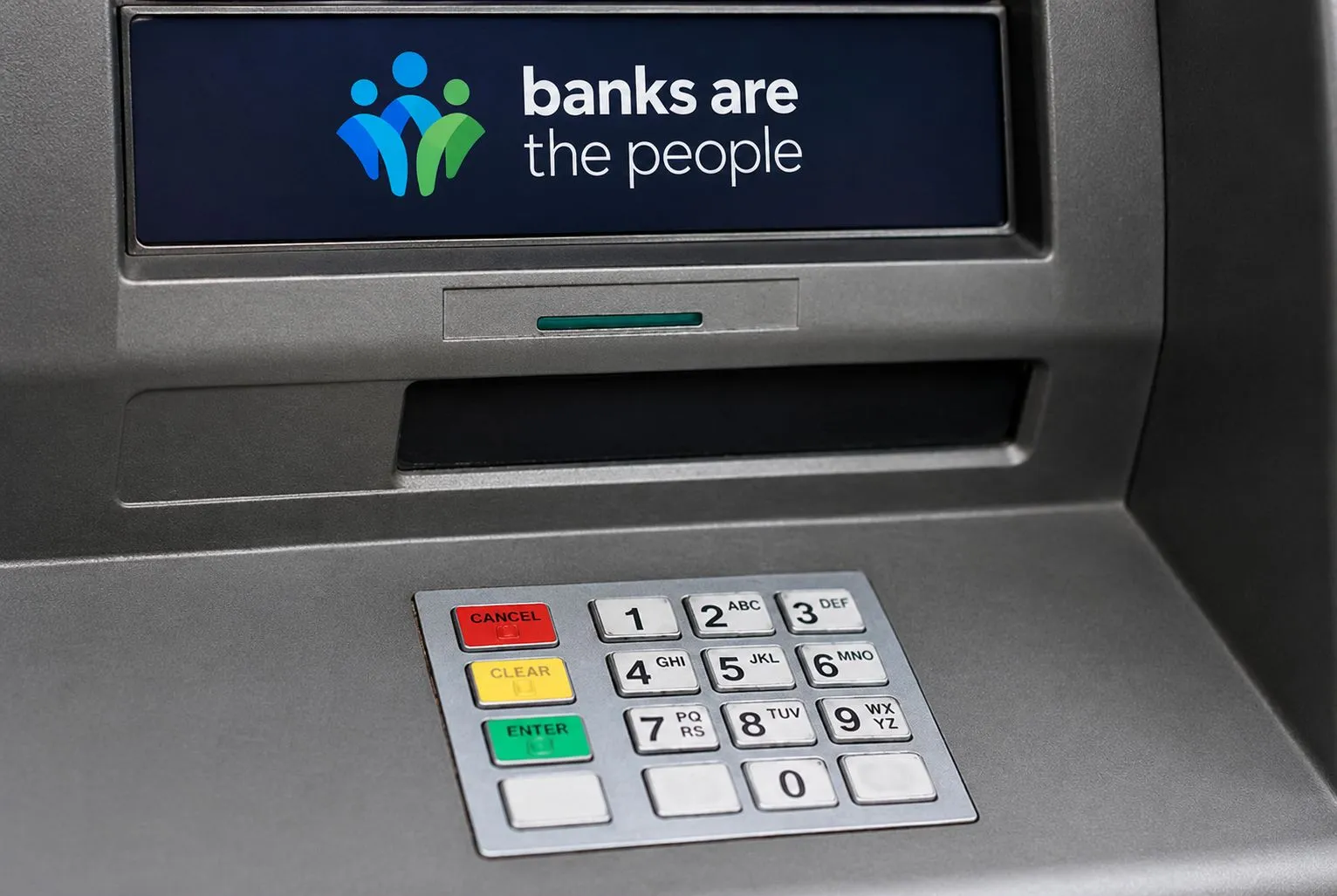
Here's what each part of a typical ATM keypad does, using the keypad above as an example.
ATM keypad variations
Every ATM keypad follows the same basic rules, but no two manufacturers do it quite the same way. Here are the differences you're most likely to spot.
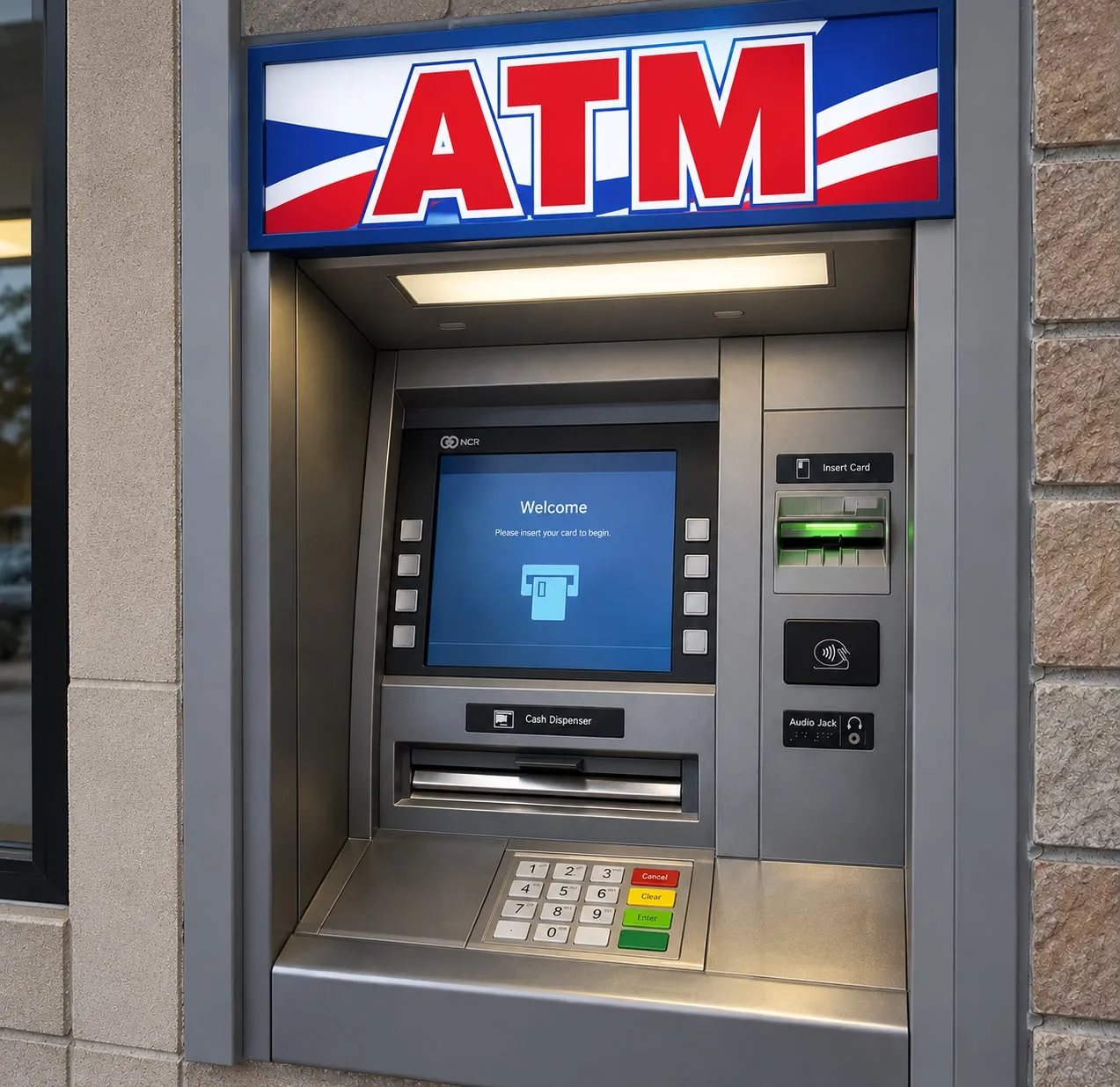
Function keys on the left or right
Compare the two photos on this page: one ATM keypad puts Cancel, Clear and Enter to the left of the numbers, the other to the right.
Keys in a different order
Most keypads run Cancel, Clear, Enter from top to bottom, but not all. One talking ATM keypad, for example, ran Clear, Cancel, Enter, with an extra volume key below.[8] That's why the colours and raised shapes matter more than position.
Enter or OK
The green key may be labelled Enter or OK, depending on the machine.[11]
Different languages
Labels change from country to country, but the colours and tactile symbols stay the same. See the Italian ATM keypad on our accessibility page.
Metal or plastic
ATM keypads come in brushed metal or plastic with rubber keys. Researchers found the plastic ones leak far more heat clues about your PIN.[10]
With or without letters
Some ATM keypads print ABC-style letters on the number keys, others show numbers only.[1]
Screen buttons (FDKs)
Many ATMs add function display keys beside the screen, typically two columns of four buttons, used to pick whichever option appears next to them.[12] You can see them either side of the screen in the photo above.
Touchscreen ATMs
ATMs use either side buttons or a touchscreen to choose options[5], but a touchscreen never replaces the ATM keypad itself. The PIN is still entered on physical keys.[11]
How the ATM keypad protects your PIN
Because the ATM keypad encrypts your PIN the moment you press each key, your PIN is never sent anywhere as plain digits, and tampering with the keypad wipes its secret keys.[1] Criminals therefore go after the person instead, using hidden cameras or simply watching over your shoulder. That's why ATMs often tell you to cover the keypad with your hand.[11]
- Cover the ATM keypad with your other hand while you type your PIN.
- Check the keypad before you use it. If it feels loose, thick or raised, use a different machine.
- Press Cancel if anything looks wrong. Your card will come back.
Read more about how cash machines are protected on our secure ATMs page.
ATM keypad FAQs
Why does the ATM keypad have 1 at the top?
ATM keypads copied the telephone. Bell Labs research found the 1-2-3-on-top layout slightly faster to use than the calculator layout, and it became the international standard for keypads on ATMs, door locks and vending machines.[2][3]
Why is there a raised dot on the 5?
The 5 is the centre key. Feeling the dot lets blind and partially sighted people find their place on the keypad, then reach every other number by touch.[7]
What do the red, yellow and green keys do?
Red cancels the transaction, yellow clears what you've typed, and green (Enter or OK) confirms it. Each also has a raised shape: an X, a line or left arrow, and a circle.[8][7]
Why are there letters on ATM keys?
They come from telephone keypads, where letters stood for telephone exchange names. On a PIN pad they let you remember your PIN as a word.[3][1]
Why are PINs four digits long?
John Shepherd-Barron, whose machine opened in 1967, planned six digits, but his wife Caroline found she could only remember four.[6]
Can I enter my PIN on an ATM touchscreen?
No. Even touchscreen ATMs have a physical keypad, and your PIN is always typed on that, never on the screen.[11]
References
- Wikipedia (n.d.). PIN pad. Wikipedia.
- The Boston Globe (2013). John E. Karlin; factored human behavior into phone design at Bell Labs. The Boston Globe, 10 February 2013.
- Wikipedia (n.d.). Telephone keypad. Wikipedia.
- Wikipedia (n.d.). James Goodfellow. Wikipedia.
- Wikipedia (n.d.). Automated teller machine. Wikipedia.
- Wikipedia (n.d.). John Shepherd-Barron. Wikipedia.
- U.S. Department of Justice (2010). 2010 ADA Standards for Accessible Design, section 707: Automatic teller machines and fare machines. via Corada.
- Law Office of Lainey Feingold (n.d.). Image descriptions: Washington Mutual Talking ATM keypad. lflegal.com.
- PCI Security Standards Council (n.d.). Encrypting PIN Pad (EPP) Security Requirements. PCI SSC.
- Mowery, K., Meiklejohn, S. & Savage, S. (2011). Heat of the Moment: Characterizing the Efficacy of Thermal Camera-Based Attacks. USENIX Workshop on Offensive Technologies (WOOT ’11).
- eSafety Commissioner (n.d.). Using other touchscreens: Using ATM touchscreens. Be Connected, Australian Government.
- NCR Corporation (2007). Self-service terminal (US Patent 7,229,007). Google Patents.